Maximize Your Gaming Performance with FPS Monitor & Screen Hz Tool: Ultimate Guide 2025
Introduction: Why FPS and Screen Refresh Rate Matter
In today’s world of mobile and PC gaming, performance is everything. Gamers and tech enthusiasts constantly look for ways to optimize gameplay, improve visuals, and reduce lag. This is where FPS Monitor & Screen Hz Tool comes in handy. These tools help you analyze frame rate performance, monitor screen refresh rates, and enhance gaming efficiency. Whether you’re a mobile gamer or a PC player, understanding your FPS (Frames Per Second) and screen Hz can dramatically improve your overall gaming experience.
What Is FPS (Frames Per Second)?
FPS stands for Frames Per Second, which measures how many images your device can display each second. The higher the FPS, the smoother your gaming experience.
30 FPS – Standard performance for most mobile games.
60 FPS – Smooth and stable performance.
90/120 FPS – Professional and competitive gaming quality.
A low FPS can cause lag, stutter, or visual tearing, while a higher FPS ensures faster response time, better motion handling, and smoother gameplay.
What Is Screen Hz (Refresh Rate)?
The screen refresh rate, measured in Hertz (Hz), indicates how many times per second your screen updates an image. Common refresh rates include 60Hz, 90Hz, 120Hz, and 144Hz.
Higher refresh rates offer a more fluid experience, especially for high-speed games like PUBG Mobile, COD Mobile, and Asphalt 9.
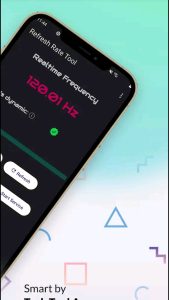
Using a Screen Hz Tool, you can detect and monitor the exact refresh rate of your screen, ensuring your device is performing at its full potential.
Benefits of Using FPS Monitor & Screen Hz Tool
Real-Time Performance Tracking
These tools provide real-time FPS monitoring, helping you track how your device performs during heavy gaming sessions.Overheating Detection
Some tools also display CPU/GPU temperature, helping you identify overheating issues and protect your device’s health.Battery Optimization
By monitoring performance, you can balance between performance and battery life. Limiting FPS in low-demand games helps save battery power.Lag and Stutter Reduction
By analyzing frame drops, you can tweak settings to maintain consistent gameplay.Professional Gaming Insights
If you’re a YouTube gamer, streamer, or eSports player, these tools give you performance analytics that help you optimize your device for recording or live streaming.
Top Features You’ll Find in FPS Monitor & Screen Hz Tool Apps
Real-time FPS counter on screen
Screen refresh rate (Hz) detector
Temperature and CPU/GPU usage monitor
Gaming performance history logs
Custom overlay display for advanced users
Support for both Android and iOS devices
These apps are often lightweight and user-friendly, making them perfect for mobile gamers who want detailed performance insights.
How to Use FPS Monitor & Screen Hz Tool
Download the App
Go to the Google Play Store or Apple App Store, and search for “FPS Monitor” or “Screen Hz Tool.”Grant Required Permissions
Allow necessary permissions for overlay display and performance tracking.Open Your Favorite Game
Launch your game (like PUBG, Free Fire, or COD Mobile). You’ll see the FPS counter displayed on the screen.Check Real-Time Data
The tool will show live FPS, refresh rate, and temperature statistics.Adjust Settings for Better Performance
Use the insights to modify in-game graphics settings, lower resolution, or enable performance mode for smoother gameplay.
Pro Tips for Gamers and Tech Enthusiasts
Enable Developer Options: On Android, go to Settings → About Phone → Tap Build Number 7 times → Enable “Show Refresh Rate.”
Use Gaming Mode: Combine FPS monitoring with your phone’s built-in gaming mode for optimized performance.
Keep Your Device Cool: Overheating can reduce FPS, so use cooling pads or limit gaming in hot environments.
Upgrade Hardware: For PC users, upgrading the GPU, CPU, or monitor with a higher refresh rate can drastically improve FPS.
Why You Should Monitor FPS and Refresh Rate
Monitoring FPS and refresh rate isn’t just about gaming — it’s about system performance optimization. It helps identify performance bottlenecks, improve user experience, and even extend your device’s lifespan by preventing overheating and overuse.
Additionally, tech YouTubers and app reviewers can use these tools to create performance comparison videos, boosting engagement and increasing ad revenue with high CPC keywords such as:
Mobile performance optimization
Gaming analytics tools
Real-time FPS monitoring
Device temperature control
Best refresh rate settings
High CPC Keywords Related to This Topic
To maximize your eCPM and CPC, use these high-value keywords naturally in your content:
Gaming performance optimization
Frame rate monitor app
Screen refresh rate tool
Mobile FPS counter
Best gaming tools for Android
CPU GPU temperature monitor
Game optimization settings
Real-time performance tracking app
Boost gaming performance
Monitor frame drops
These keywords attract advertisers from the gaming and mobile tech industries, leading to higher revenue potential for blogs or YouTube videos.
Conclusion
The FPS Monitor & Screen Hz Tool is more than just a gadget for gamers — it’s a powerful performance optimization utility that helps you understand how your device truly performs. Whether you’re gaming competitively or just want to enjoy smoother visuals, monitoring FPS and refresh rate can make a world of difference.
By using these tools wisely, you can enhance gameplay, increase device lifespan, and enjoy a lag-free gaming experience — all while creating high-value content that can boost your ad earnings through smart keyword usage.